Google picked a different version of your page: fixing duplicate URLs and canonicals
Your page is indexed. Google just indexed a different URL of it than the one you promote and track. Pick one form, redirect the rest, make the signals agree.
Your page is indexed. Google just indexed a different URL of it than the one you promote, link to, and check rankings for. Pick one URL form, redirect every other form with a permanent 301, give every URL a canonical annotation pointing at the form you picked, and make your internal links agree with all three. Then wait: Google may hold pages in a duplicate cluster for up to two weeks after you fix the cause.
What this actually is
Canonicalization is Google's word for picking the representative URL out of a set of near-identical ones. Google does this whether or not you ask. From Google's own documentation: indicating a canonical preference is a hint, not a rule.
One page becomes many URLs by multiplication, not by mistake:
- Protocol: http:// and https://.
- Host: www.example.com and example.com. Plus any m., staging., or preview. host still answering.
- Trailing slash: /services/ and /services.
- Directory index: /services/, /services/index.html, /services/index.php.
- Query strings: ?utm_source=newsletter, ?gclid=..., ?fbclid=..., session IDs, ?ref=partner.
- Site functions: sort and filter parameters on a category page, each producing a URL.
- Print and AMP variants: /print/, ?print=1, /amp/.
Two protocols, two hosts, two slash forms, and two index forms is sixteen URLs for one page before a single tracking parameter is attached.
Google names the same causes from its side: region variants, device variants, protocol variants, site functions, and accidental variants such as a demo site left crawlable.
The duplication is not the problem. Google deduplicates competently. The problem is which URL wins, because Google consolidates signals into the canonical and serves that one. Links other sites gave to the version Google did not pick still count, and they count toward a URL you may not be watching. Worse: if the canonical Google selected sits in a Search Console property you do not own, you see none of its traffic at all.
Google's methods for expressing a preference, in its own order of strength: redirects (strong), rel="canonical" annotations (strong), sitemap inclusion (weak). On top of those it applies site-setup signals: it prefers HTTPS over HTTP, and it prefers URLs that sit inside reciprocal hreflang clusters.
How to check
Search Console URL Inspection, and only the indexed result.
1. Open Search Console and check which property you are in. A URL-prefix property for https://www.example.com/ tells you nothing about the other three host and protocol variants. A Domain property covers every subdomain and both protocols, which is what you want here.
2. Type the fully-qualified URL into the inspection bar at the top of any Search Console screen. The URL must be inside the currently open property.
3. Expand Page indexing. Read two fields: User-declared canonical and Google-selected canonical.
4. Do not use Live Test to answer this question. Google is explicit: you can determine the canonical only from the indexed data, and the live test cannot predict whether the tested version will be considered canonical.
5. Treat the value as approximate. Google notes it can be a few hours behind the index.
For the site-wide sweep, open the Page indexing report and read the "Why pages aren't indexed" table for the duplicate rows.
For the redirects themselves, ask the server instead of the browser. Run this against each variant:
curl -s -o /dev/null -A "Mozilla/5.0" \ -w '%{http_code} -> %{redirect_url} ' \ "http://example.com/services"
Run it eight times: both protocols, both hosts, both slash forms. A browser shows the destination and hides the status code, which is the part you need.
What you will see
URL is on Google, with Google-selected canonical equal to the inspected URL and User-declared canonical equal to it too. Nothing to do. This is the target state.
Duplicate without user-selected canonical. You declared nothing, so Google picked. Google's wording: this is not an error, it is working as intended. It becomes your problem only when Google picked the URL you did not want.
Duplicate, Google chose different canonical than user. You declared, and Google overruled you. Google's own diagnostic is the useful part: this status means Google does not think the tested page is a duplicate of your declared canonical, it thinks the tested page is a duplicate of the Google-selected one. A duplicate must be similar to the canonical. If the two pages are not similar, Google will never choose your declared URL, no matter how many times you declare it.
Alternate page with proper canonical tag. An AMP, mobile, or desktop counterpart pointing correctly at an indexed canonical. Working as intended.
Page with redirect. A non-canonical URL that redirects. It will not be indexed, which for your variant URLs is the outcome you paid for.
Indexed, though blocked by robots.txt. Google indexed a URL it was never allowed to fetch. Google's wording: it may still find and index a disallowed URL if it is linked from other places on the web, and the URL address plus other publicly available information, anchor text in links to the page among it, can appear in results. Robots.txt controls crawling, not indexing.
User-declared canonical: None. Fine on a page with no alternates. Not fine on a page reachable four ways.
How to fix
Pick the form and write it down. HTTPS. One host: Google has no preference between www and bare, so pick the one already earning links. One trailing-slash convention. No index.html. Lowercase.
301 every other form to it, in one hop. Permanent, not temporary. Apache:
Redirect permanent "/old" "https://example.com/new"
nginx:
return 301 https://example.com/new;
http://example.com/services must land on https://www.example.com/services/ directly, not chain through two intermediate hops. Verify with the curl above: you want 301, not 302, 303, or 307. Googlebot follows a temporary redirect and then declines to use it as a canonical signal, leaving the old URL in results. The difference is invisible in a browser, which is why 302s survive for years.
Protect the HTTPS preference. Google prefers HTTPS by default, and four things break that preference: an invalid Transport Layer Security (TLS) certificate, insecure dependencies other than images, an HTTPS page that redirects users to or through an HTTP page, and an HTTPS page whose canonical points at the HTTP page. Google states that bad certificates and HTTPS-to-HTTP redirects make it prefer HTTP very strongly, and that HSTS cannot override that preference.
A canonical on every page, pointing at the form you picked. Read Google's two instructions together, because they are not the same instruction. Duplicate pages get a rel="canonical" in <head> pointing at the canonical page. The canonical page gets one pointing at itself, which Google calls a self-referential canonical and lists under Do. So the tag goes on every URL in the set, but only the URL you chose points at itself. A duplicate that self-references is telling Google the opposite of what you decided.
On the URL you picked:
<link rel="canonical" href="https://example.com/services/" />
On https://example.com/services/index.html, and on the print view, and on the parameterized variant, the same line: the href still reads https://example.com/services/, not the URL the tag is sitting on. That is the whole difference between the two cases.
One per page, absolute, inside <head>. Absolute, because Google supports relative paths and warns they cause problems later, for example when a test site is accidentally crawled. Inside <head>, because Google accepts the element only there, so the head must be valid HTML. For a PDF or a .docx, which have no head, send the Link: <url>; rel="canonical" HTTP header instead.
Stop contradicting yourself. These are the contradictions that get your hint ignored:
- Canonical points at a noindex page. Google specifically does not recommend noindex to select a canonical within one site, because it removes the page from Search entirely.
- Canonical points at a URL disallowed in robots.txt. Google cannot fetch it, so it cannot confirm the two pages are duplicates. It may still index that URL without its content.
- Canonical points at a URL that 301s somewhere else. Two strong signals disagreeing.
- Canonical points at a host that disallows crawling, such as a staging or preview domain with Disallow: /. Google's rule is flat: do not use robots.txt for canonicalization, because Google may still index URLs disallowed in robots.txt without their content. Follow that through. Google cannot fetch the declared target, so it cannot confirm the two pages are duplicates, and it cannot see any indexing or serving rule on that URL either, because those rules live in a response it is not allowed to request. Your hint is therefore either ignored, which leaves Google picking a canonical on its own, or honored into a URL that can only ever be indexed without content, which has nothing to rank on. Every validator you run reports a canonical present and correct throughout. Check the target host's robots.txt, not just the tag.
- Sitemap lists URL A and the page declares URL B. Google's rule: do not specify different URLs as canonical through different techniques.
- JavaScript rewrites the canonical after the HTML set one. Set it in the HTML source and leave it alone, or set it only in JavaScript. Never both.
- Canonical carries hreflang, lang, media, or type attributes. Those are ignored for canonicalization.
- Canonical points at a URL fragment. Google generally does not support fragments.
Make internal links use the canonical form. Navigation, footer, logo, in-body links, sitemap, hreflang annotations, Open Graph og:url, and every absolute URL hardcoded in a template. Google says linking consistently to your preferred URL helps it understand the preference. This is the step that costs the day.
Leave tracking parameters alone. Do not disallow ?utm_* or ?gclid in robots.txt: that stops the crawl, not the index. The self-referencing canonical on the clean URL is the mechanism. Just keep parameterized URLs out of your sitemap.
Know which tool the case calls for. A 301 when the duplicate should stop existing: host variants, protocol variants, a page that moved. Google's guidance is to use redirects when you want to get rid of existing duplicate pages. A rel="canonical" when both URLs must stay reachable: a filtered category view, a print page, a product sitting in two categories, a PDF beside its HTML twin.
Now the misnomer. People call a meta refresh "as good as a 301". Google's redirect table says an instant meta refresh, zero seconds, is interpreted as permanent, and a delayed one, more than zero seconds, is interpreted as temporary. So a zero-second refresh does register as permanent. And Google orders its redirect methods by how likely it is to interpret them correctly, with server-side redirects at the top and meta refresh below. A meta refresh returns HTTP 200, which makes the old URL a live, indexable page that happens to contain a redirect instruction, and Google has to fetch and parse the HTML to find it. A 301 is decided in the response header before a byte of body is sent. Use the 301 wherever the server permits one.
Consolidate without losing what the duplicates earned. Redirect, do not delete. Google's site-move guidance is to keep redirects as long as possible, generally at least one year, so signals including links from other sites can be reassigned. Verify a Domain property so you can watch the traffic move rather than guess: Google's advice is to use one when you want the property to match any protocol or subdomain, and a URL-prefix property only when you need the data limited to one protocol or one path segment. Update your highest-volume external links by hand instead of leaving them on the hop.
Then tell Google. Rebuild the sitemap so it contains canonical URLs only. Use Request Indexing on your most important URLs, sparingly, because it is quota-limited. In the Page indexing report, click Validate fix on the duplicate rows.
What it costs
Picking the form and writing the server rules: about an hour.
Finding every hardcoded URL: most of a day on a site with a few dozen templates. Grep does not finish the job, because some URLs live in the CMS database rather than in files.
Adding the self-referencing canonical: minutes if one layout file serves the whole site, an afternoon if there are five.
Waiting is the largest line item. Google may hold pages in a duplicate cluster for up to two weeks after the content or signals change. Search Console fix validation typically takes up to about two weeks and can take much longer. If this turns into a full host move, Google's guidance is a few weeks for most pages on a small or medium site, longer on large ones.
And the redirects stay live for at least a year after that.
A day of work, then a month before the report agrees with you.
Not sure which of the nine reasons applies to your site? Run the free audit against your URL.
References
What is canonicalization - Google Search CentralHow to specify a canonical URL with rel="canonical" and other methods - Google Search CentralFix canonicalization issues - Google Search CentralRedirects and Google Search - Google Search CentralURL Inspection tool - Google Search Console HelpPage indexing report - Google Search Console HelpAdd a website or platform property to Search Console - Google Search Console HelpMove a site with URL changes - Google Search CentralIntroduction to robots.txt - Google Search CentralRobots meta tag, data-nosnippet, and X-Robots-Tag specifications - Google Search CentralAsk Google to recrawl your URLs - Google Search CentralURL structure best practices for Google Search - Google Search CentralAMP on Google Search - Google Search CentralBy Jesper Jurcenoks
Next in the series
How to fix a website that breaks on a phone
Your desktop rankings are computed from the phone rendering. Google indexes with Googlebot Smartphone, so what a phone cannot reach is not indexable.
2026-08-18Google picked a different version of your page: fixing duplicate URLs and canonicals
Your page is indexed. Google just indexed a different URL of it than the one you promote and track. Pick one form, redirect the rest, make the signals agree.
2026-08-18
How to find and remove a noindex tag or robots.txt block that keeps your site out of Google
Your site is not missing from Google. It is being refused, on your own instruction. Three mechanisms can issue it, and two leave nothing in your HTML.
2026-08-18
Only your homepage is indexed: how to get Google to find the rest of your site
Google indexes what it can reach. If only your homepage is indexed, your pages are not being outranked: they are not being found. Internal links come first.
2026-08-18
How to get backlinks for a small business
Of the nine reasons your site is missing from Google, links are the one you control least. Fix the other eight first, then claim the links you are owed.
2026-08-18
How to get Google to index a new website
If your site went live in the last few weeks, the likely explanation is the boring one: Google has not got to you yet. What shortens the wait, and what does not.
2026-08-18
How to make your website faster and pass Core Web Vitals
Compressing your images will not fix this. Three numbers decide whether Google calls your site fast, and two are set by your architecture, not your assets.
2026-08-18
How to show up in local Google search when you serve a town
Your website is not your entry on the map. The map pack is fed by a Google Business Profile, a separate record you must claim and verify to compete on it.
2026-08-18
My page is indexed but gets no traffic: how to make it answer the question
Your page is not missing from Google. It is present and unwanted. Search Console tells you which problem you have: not being shown, or shown and not chosen.
2026-08-18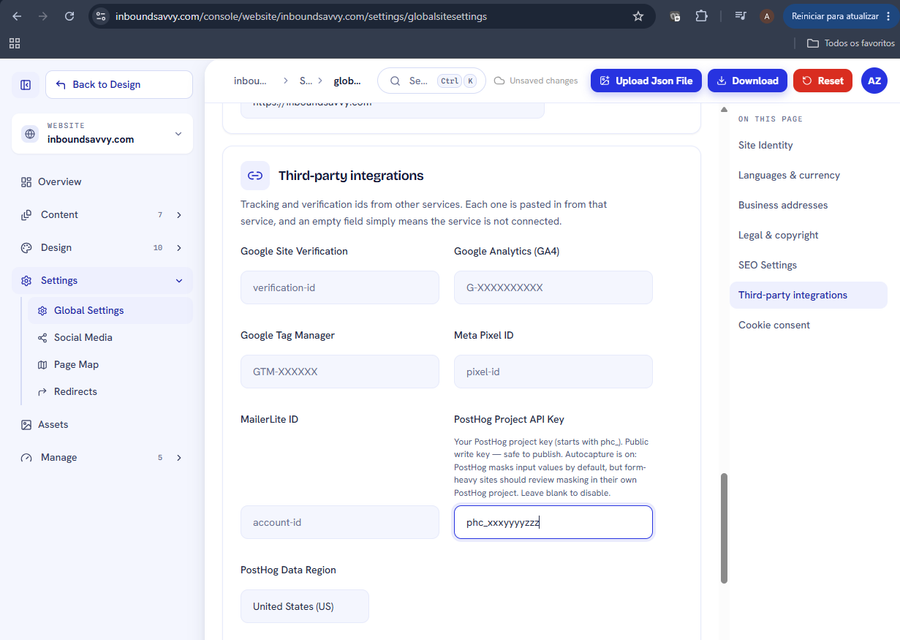
Set Up PostHog Analytics for Your Website
PostHog shows what visitors actually do on your site. InboundSavvy has it built in: one token, one dropdown. Includes how to connect PostHog's MCP server so your AI assistant can query the data.
2026-08-05
How to Get Your Small Business Found on Google in 2026
Getting found on Google changed with AI Overviews and AI Mode. Here's what actually moves the needle for a small business in 2026 - in plain English, no jargon.
2026-07-01
Why Isn't My Website Showing Up on Google? (9 Reasons + Fixes)
Nine reasons a small-business site does not appear in Google, each with the exact check that identifies it and the actual repair. Including what Search Console and Lighthouse each tell you, and why they disagree.
2026-06-28
The Small-Business Website SEO Checklist for 2026
SEO for a small business comes down to a handful of things done well. Here's a practical 2026 checklist, grouped by what each item actually does for you.
2026-06-25
Let Claude Edit Your Website: Connecting InboundSavvy to Claude Code
A non-technical guide to setting up InboundSavvy's MCP integration with Claude Code - one prompt, a few clicks, and AI starts building your website.
2026-05-25Other articles
How to fix a website that breaks on a phone
Your desktop rankings are computed from the phone rendering. Google indexes with Googlebot Smartphone, so what a phone cannot reach is not indexable.
2026-08-18Google picked a different version of your page: fixing duplicate URLs and canonicals
Your page is indexed. Google just indexed a different URL of it than the one you promote and track. Pick one form, redirect the rest, make the signals agree.
2026-08-18How to find and remove a noindex tag or robots.txt block that keeps your site out of Google
Your site is not missing from Google. It is being refused, on your own instruction. Three mechanisms can issue it, and two leave nothing in your HTML.
2026-08-18Only your homepage is indexed: how to get Google to find the rest of your site
Google indexes what it can reach. If only your homepage is indexed, your pages are not being outranked: they are not being found. Internal links come first.
2026-08-18How to get backlinks for a small business
Of the nine reasons your site is missing from Google, links are the one you control least. Fix the other eight first, then claim the links you are owed.
2026-08-18How to get Google to index a new website
If your site went live in the last few weeks, the likely explanation is the boring one: Google has not got to you yet. What shortens the wait, and what does not.
2026-08-18How to make your website faster and pass Core Web Vitals
Compressing your images will not fix this. Three numbers decide whether Google calls your site fast, and two are set by your architecture, not your assets.
2026-08-18How to show up in local Google search when you serve a town
Your website is not your entry on the map. The map pack is fed by a Google Business Profile, a separate record you must claim and verify to compete on it.
2026-08-18My page is indexed but gets no traffic: how to make it answer the question
Your page is not missing from Google. It is present and unwanted. Search Console tells you which problem you have: not being shown, or shown and not chosen.
2026-08-18Set Up PostHog Analytics for Your Website
PostHog shows what visitors actually do on your site. InboundSavvy has it built in: one token, one dropdown. Includes how to connect PostHog's MCP server so your AI assistant can query the data.
2026-08-05How to Get Your Small Business Found on Google in 2026
Getting found on Google changed with AI Overviews and AI Mode. Here's what actually moves the needle for a small business in 2026 - in plain English, no jargon.
2026-07-01Why Isn't My Website Showing Up on Google? (9 Reasons + Fixes)
Nine reasons a small-business site does not appear in Google, each with the exact check that identifies it and the actual repair. Including what Search Console and Lighthouse each tell you, and why they disagree.
2026-06-28The Small-Business Website SEO Checklist for 2026
SEO for a small business comes down to a handful of things done well. Here's a practical 2026 checklist, grouped by what each item actually does for you.
2026-06-25Let Claude Edit Your Website: Connecting InboundSavvy to Claude Code
A non-technical guide to setting up InboundSavvy's MCP integration with Claude Code - one prompt, a few clicks, and AI starts building your website.
2026-05-25