Building pages
Change a page without touching code
The editor is three moves: drag a block in, double-click to change its words, select it and style it from the right panel.
Open a page from Content, then Pages. The canvas in the middle is your page. The panel on the left holds blocks you can add. The panel on the right styles whatever is currently selected.
Add a block
The left panel lists draggable blocks: sections, headings, images, and more. Drag one onto the canvas and drop it where you want it. The page reflows around it.
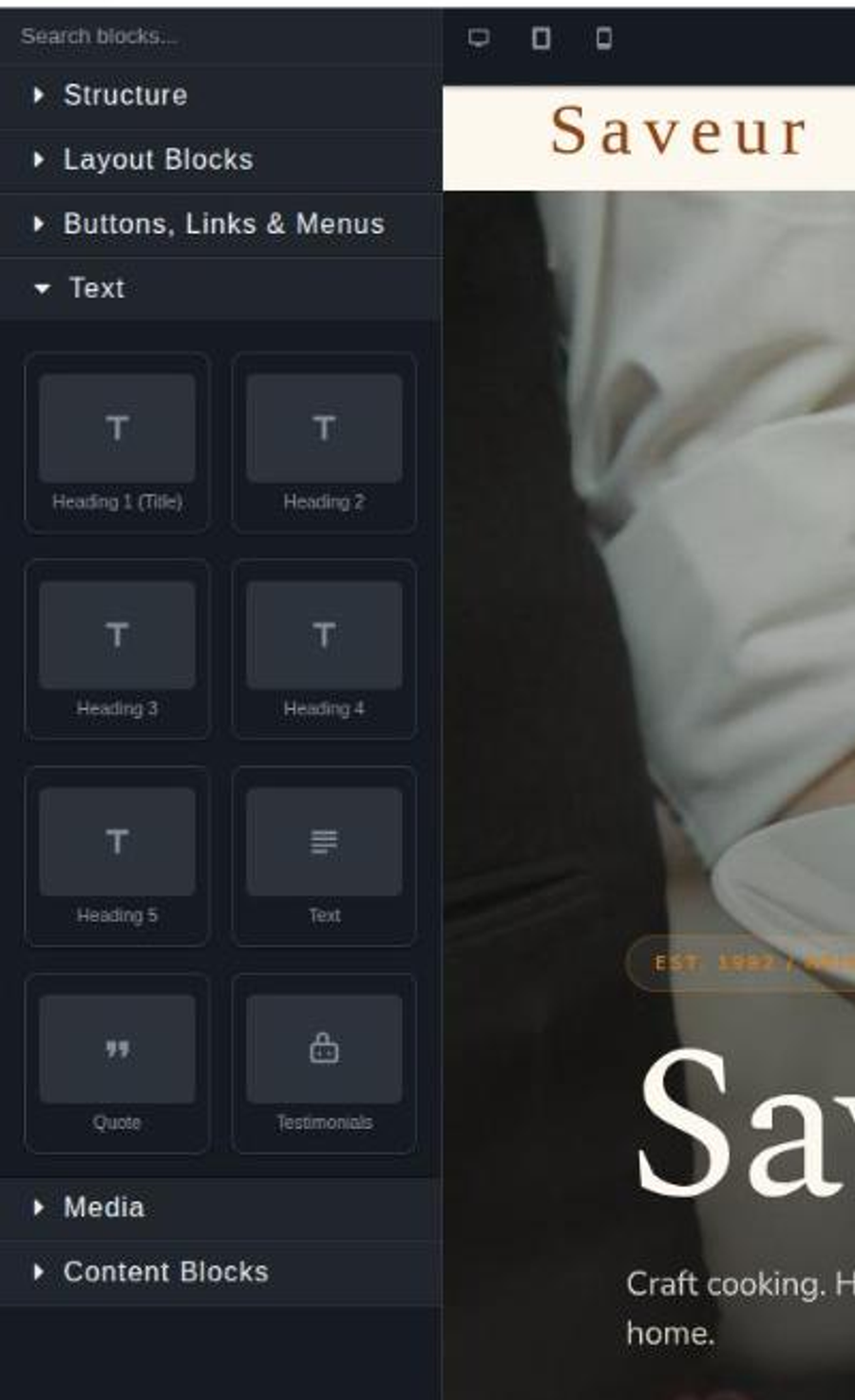
Blocks are the design system's vocabulary. You are assembling from a fixed set rather than writing arbitrary markup, which is what keeps a page responsive and on-brand without you managing either.
Edit content
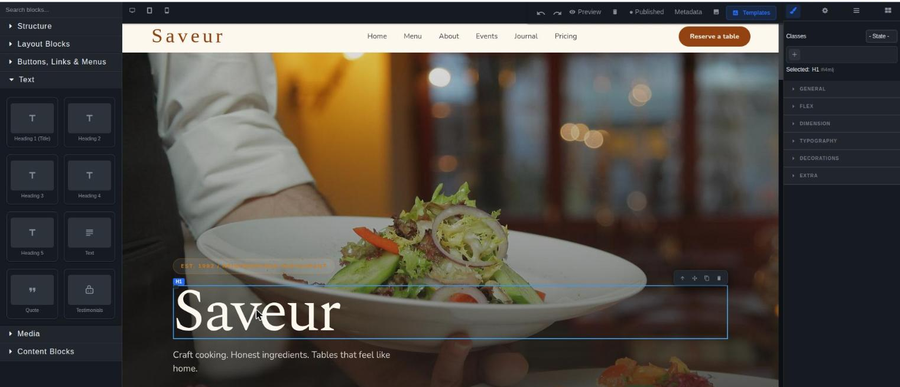
Double-click any block on the canvas to edit its text inline. Single-click selects it instead, and shows resize handles and controls.
That distinction catches people out: one click to style, two clicks to write.
Style a block
Select a block first, then use the right panel for colors, spacing, typography, and the rest. Changes apply live on the canvas.
Reach for a design system color rather than a hand-picked one. Colors named in Global Design Settings update everywhere at once when you change your brand; a color typed into one block stays wrong forever after a rebrand.
The mini-tour
Take the tour at the bottom of the sidebar replays the three-step editor walkthrough on your own page, whenever you want it. It is worth one run on your first real edit.
Where the change goes
Saving writes the change and marks it pending. Your live site is untouched until you build a preview and then publish. See preview and publish.
When an edit does not show up
Work down this list in order.
1
Did the save succeed? A failed save leaves the canvas looking correct and changes nothing underneath. Reload the page in the Console and check the edit survived.
2
Are you looking at the live site rather than the preview? An unbuilt change is invisible everywhere except the editor.
3
Is the page in the Page Map? A page with no Page Map entry has no address, so there is nothing to load. See pages and navigation.
4
Is it a browser cache? Load the address in a private window before concluding the build is at fault.
The one thing to avoid
Custom CSS, under Design, holds Cascading Style Sheets (CSS) applied on top of everything the editor produces. A rule written there overrides the block you just styled, on every page at once. When a block refuses to take a style, look there before assuming the editor is broken.
Next
Fix a layout that breaks on a phone
Desktop styling cascades to every screen. Here is what breaks and why.
Get an image onto a page
How to upload an image, where it lands, and the limit that will stop you.
Change the look of every page at once
One screen holds the colors, fonts, and logo every page inherits.
Still stuck?
Send us the site name and what you were trying to do. A person answers, usually within one business day.