Integrations
Plug in the tools you already use
Keys live in one place, embeds live on the page. Knowing which of the two a service uses saves you looking in the wrong screen.
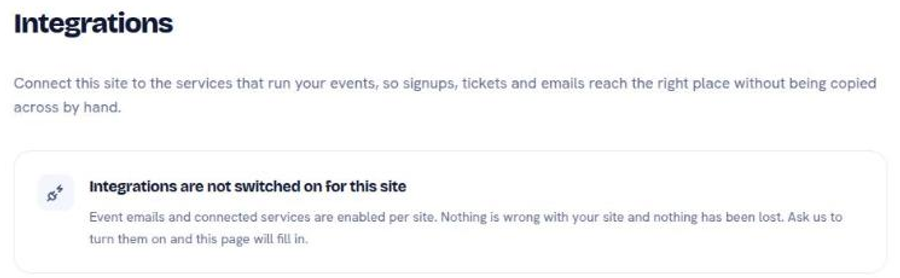
Connected services are switched on per site, and off to begin with. If the Integrations page tells you they are not enabled, nothing is broken and nothing was lost. Email hello@inboundsavvy.com and ask, and the page fills in.
Services that need a key
Tools, then Connected services, stores the keys that let your site talk to Zoom, TicketTailor, and MailerSend. Paste the key once and the site uses it.
Zoom and TicketTailor pair with the Events collection: an event entry can hand its attendees a meeting link or a ticket. Those event-specific components belong on event entries and nowhere else.
MailerSend sends transactional mail on the site's behalf.
Event emails, also under Tools, writes to everyone signed up for one of your events, either from a saved template or in your own words.
Analytics
Two analytics options, configured in the site settings rather than under Tools.
PostHog needs the two values its own dashboard gives you: Project API Key and Data Region. It shows what visitors actually do: which pages they reach, where they leave, what they click. There is a full walkthrough, including how to connect PostHog's own Model Context Protocol (MCP) server so an AI assistant can query the numbers for you: set up PostHog analytics.
Google Analytics 4 (GA4) takes a measurement identifier. Use it when someone else already reads your Google Analytics, or when you need it alongside Google Search Console.
Running both is legitimate and doubles the script weight on every page. Pick one unless you have a specific reason.
Things you embed on a page
These are blocks you drop into a page rather than keys you store.
Block
What it embeds
Google Form
A form, for anything from enquiries to sign-ups
Google Map
A map for an address
MailerLite embedded form
An email signup form, inline on the page
MailerLite popup trigger
The same signup, as a popup
A Google Form is the shortest path to a working contact form: build the form in Google, paste its embed address into the block, and responses land in a spreadsheet you already know how to read.
Before you add another script
Every embed is weight on the page, and page weight is measurable. Add one, then run a web audit and look at what it cost. Two analytics tools, a popup, a map, and a form on the same page is a slow page, and speed is one of the things visitors decide on before they read anything.
The rule that holds up: an embed earns its place by doing a job you can name.
Next
Find what is holding your site back
Check any site across SEO, speed, accessibility, files, and certificates.
What every screen in the Console is for
A map of the sidebar, and how far each screen's changes reach.
Change a page without touching code
Add a block, edit it, style it. The three moves the editor is built around.
Still stuck?
Send us the site name and what you were trying to do. A person answers, usually within one business day.