AI editing
Create, scope, and revoke an AI token
A Model Context Protocol (MCP) token is a key to one site, and only the site owner can cut one. Give every tool its own, so you can take one away without disturbing the rest.
Open More, then MCP Tokens. Managers cannot see this screen: it is owner only.
Create one
1
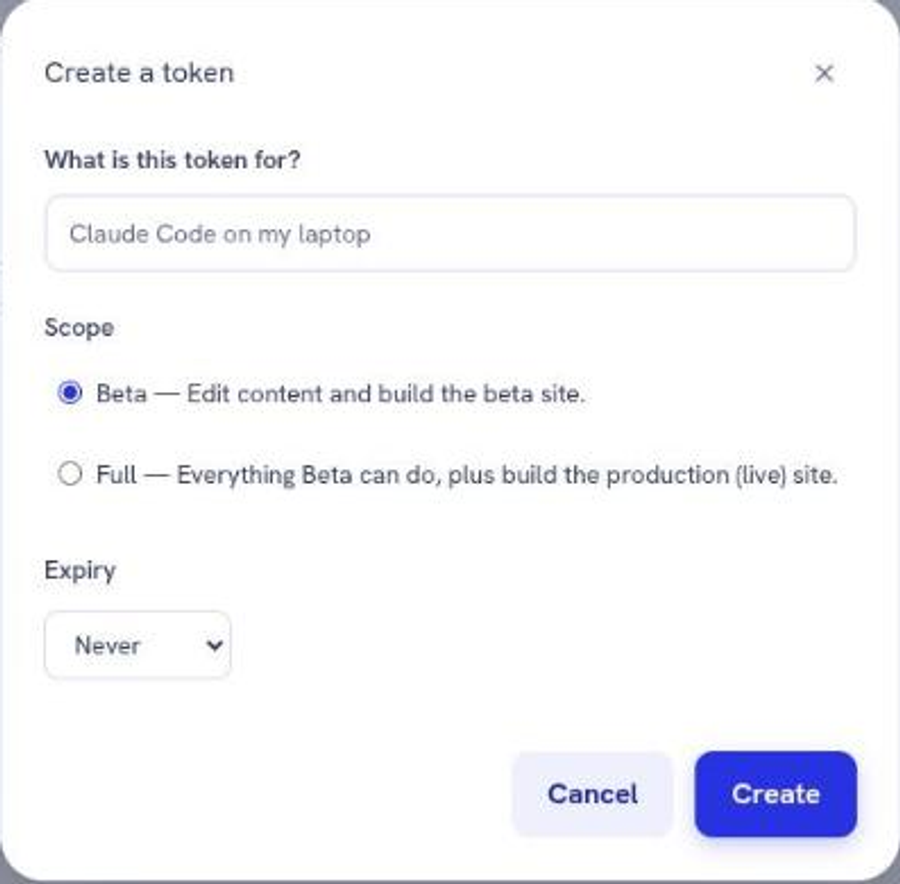
Click Create token.
2
Give it a name that says where it lives, up to 64 characters. "Claude Code, work laptop" tells you what you are revoking six months from now. "token1" does not.
3
Choose a scope. Beta is already selected, which is the one you want unless you have a specific reason otherwise.
4
Choose an expiry, or leave it as never.
5
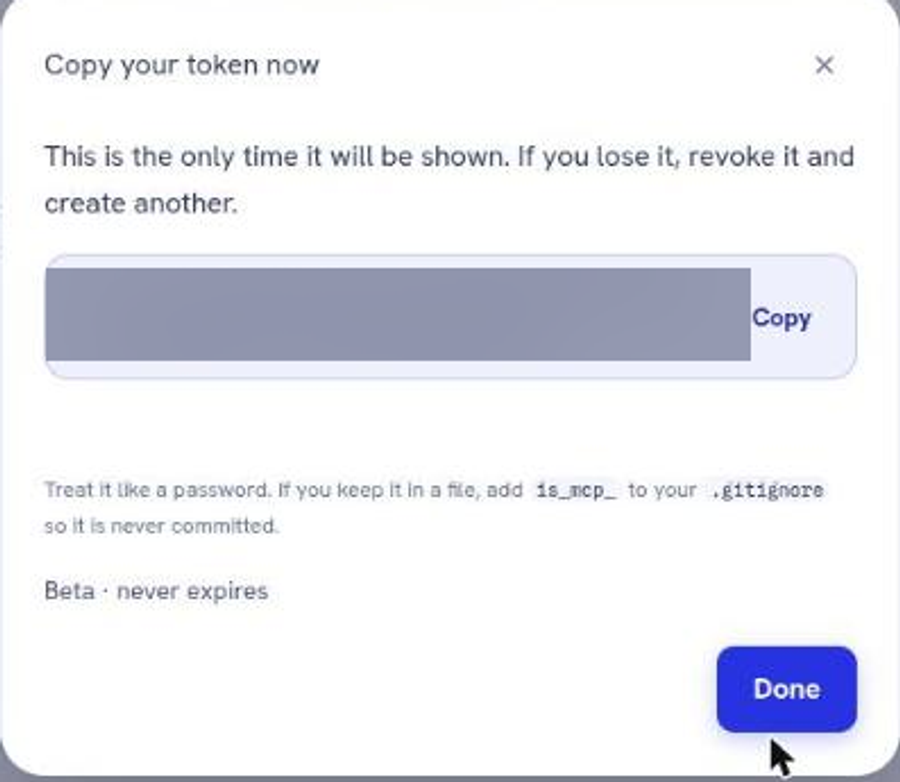
Copy the value immediately. It is shown once, at the moment of creation, and cannot be retrieved afterwards. Losing it means revoking it and cutting a new one.
The two scopes
Scope
Shown as
Can build
Beta
Beta
The preview site only
Full
Full
The preview site and the live production site
Both scopes read and rewrite everything on the site. The difference is only what they are allowed to publish.
Default to Beta. An assistant with a beta token can restructure your entire site and still not put a word of it in front of a visitor until you look at the preview and click Publish live yourself. That is the arrangement worth having: the machine drafts, a person ships.
Reach for Full when you genuinely want an assistant publishing without you in the loop, and understand that you have removed the review step when you do.
The table
Each token lists its label, scope, when it was created, when it was last used, when it expires, and who created it. Two columns earn a regular look.

Last used. A token reading "Never used" is a key you cut and forgot. Revoke it.
Created. Tokens past a certain age are flagged as old. Age alone is not a fault, and an old token you cannot account for is.
Revoke one
Click the revoke action on its row. The effect is immediate: the next request that tool makes is refused. Nothing else is affected, which is exactly why one token per tool is worth the small extra effort.
Revoke when you change computers, when someone leaves, when a token has never been used, or when you cannot say what a token is for.
Keeping the value safe
The token is a password to your site's content. Treat it like one.
•
Keep it out of anything shared: repositories, chat messages, screenshots, support tickets.
•
In Claude Code the value goes in .mcp.json, and that file belongs in your ignore list so it never reaches a repository.
•
Do not reuse one token across two tools. The point of the design is that revoking one costs you nothing elsewhere.
If a token has been exposed, revoke it first and investigate afterwards. Cutting a replacement takes under a minute.
Next
Still stuck?
Send us the site name and what you were trying to do. A person answers, usually within one business day.