AI editing
Let an AI assistant edit your site
Your site speaks Model Context Protocol (MCP), the same open standard Claude, ChatGPT, Gemini, Cursor, and Copilot all speak. Connecting one takes about five minutes, once.
After that, editing looks like describing what you want. "Add a testimonials section to the About page." "Make the hero darker." "Create a Services page in the same style as the home page."
What the assistant can actually do
A connected assistant can do exactly four things, and knowing the boundary is what makes it safe to hand over.
•
Look through every page and entry on the site.
•
Read any of them, and rewrite them.
•
Build the beta site. A full-scope token can also build the production, live site.
•
Tell you whether that build worked.
It cannot touch billing, cannot change who has access, cannot delete the website, and cannot reach any other site you own. The token is scoped to one site, which is why each site gets its own.
Connect a tool
1
Create a token. Open More, then MCP Tokens, then Create token. The value is shown once, at the moment you create it. Copy it then.
2
Put it in your tool's settings. In Claude Code that is a .mcp.json file in the folder you work in. Other tools keep the same three values somewhere of their own. The MCP Tokens page has a Copy settings button that gives you the whole block with the token slot marked.
3
Ask it to change something.
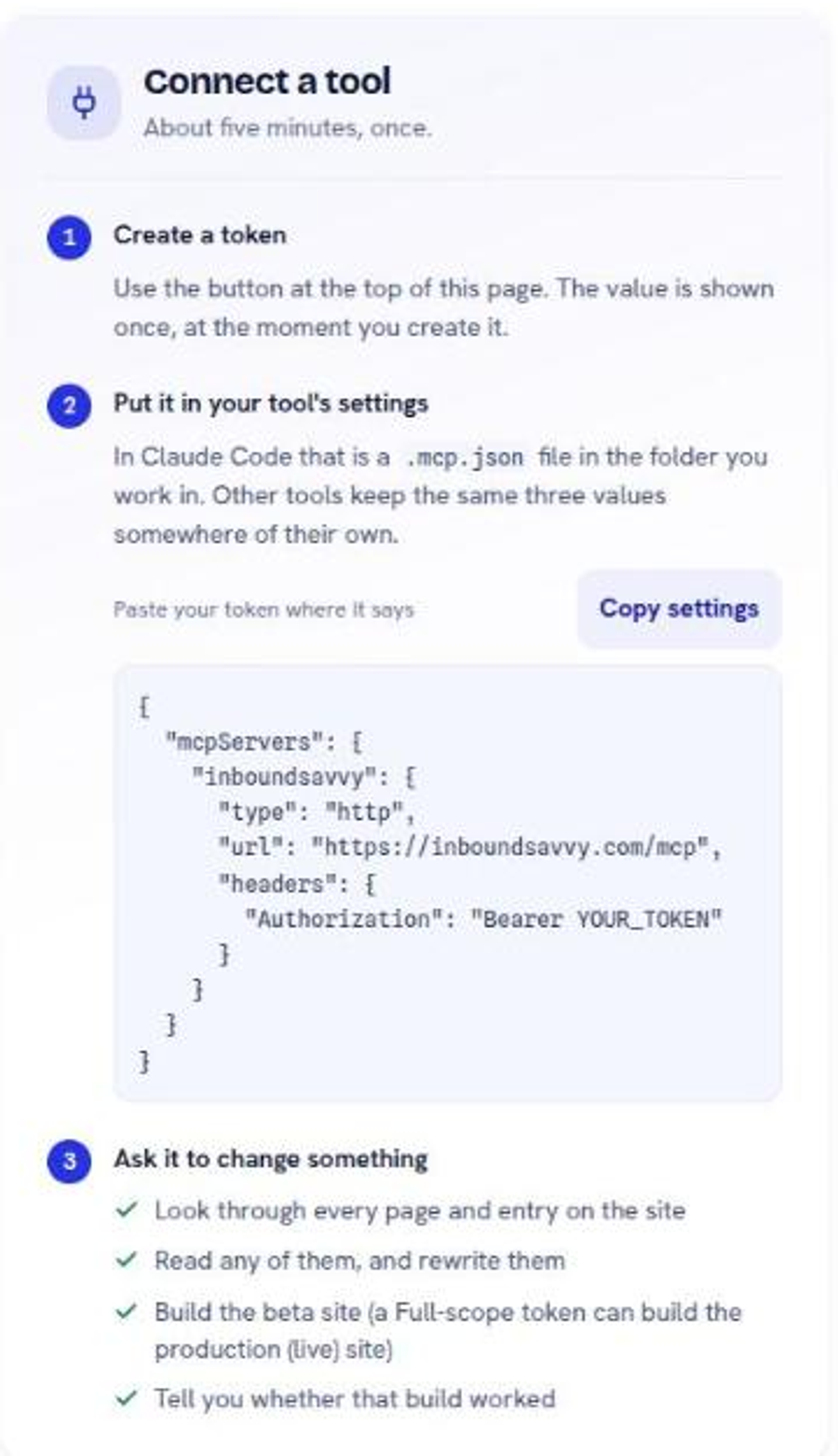
The settings block is the same for every site:
{
"mcpServers": {
"inboundsavvy": {
"type": "http",
"url": "https://inboundsavvy.com/mcp",
"headers": {
"Authorization": "Bearer YOUR_TOKEN"
}
}
}
}
One address, and the token decides which site it reaches. Adding a second site means adding a second token, never a second address.
Working with it well
Ask for one change at a time. A request that touches six pages is six chances for a misunderstanding and one review to catch them all.
Review before you build. A good assistant describes what it is about to do before doing it. Read that description. It is faster than reading the result.
Preview, always. An assistant with a beta-scope token can build your preview site and nothing else, which is the arrangement most people want. See MCP tokens for how the two scopes differ.
Say what you mean in your own words. The design system constrains the assistant to real blocks and real colors, so "make it feel calmer" produces something valid rather than something invented.
A worked example
There is a step-by-step walkthrough with screenshots for Claude Code specifically: connecting InboundSavvy to Claude Code. The token half of it applies to every assistant; only the config file location differs.
What this does not replace
The assistant edits content and builds. It does not decide what your business should say. A page written by describing "a services page" to an assistant reads exactly as well as the description you gave it.
Next
Create, scope, and revoke an AI token
Two scopes, an optional expiry, and one rule worth following.
Change a page without touching code
Add a block, edit it, style it. The three moves the editor is built around.
Build preview, then publish live
How an edit becomes a preview, then a live site, and what to do when a build fails.
Still stuck?
Send us the site name and what you were trying to do. A person answers, usually within one business day.