Account
Give someone access, or hand over the site
Everyone you give access to can edit content and settings. There is no read-only role, so the decision is binary and worth making deliberately.
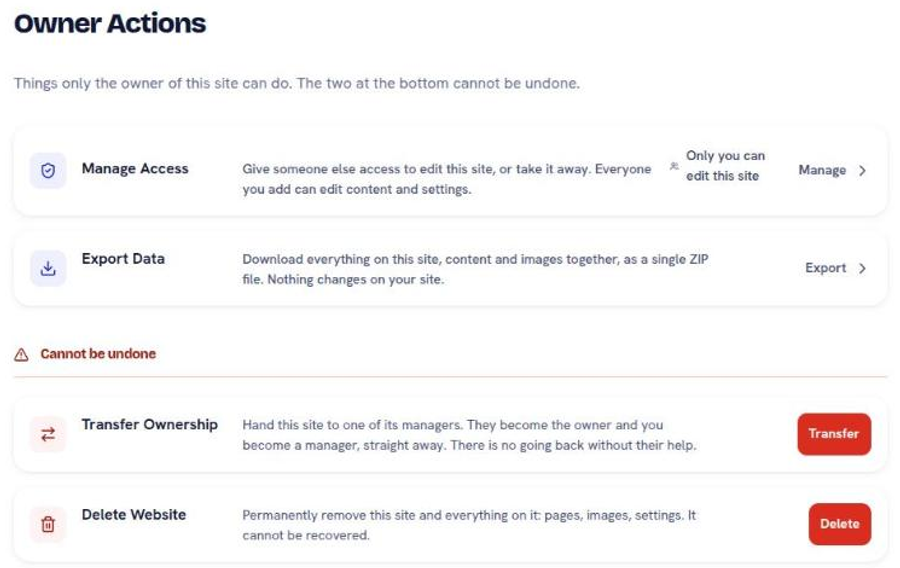
Owner Actions in the sidebar holds four actions. Two change their mind, two do not.
Manage Access
Give someone the ability to edit this site, or take it away. Reversible, and the one you will use most.
Access covers content and settings. It does not cover Model Context Protocol (MCP) tokens, which stay owner-only, so a manager can rewrite every page and cannot cut a key that does it from outside.
Grant access per site. An account with three websites grants each one separately, and a manager on one site sees nothing of the other two.
Remove access the day someone stops needing it, not the day you next remember. The same applies to any MCP token they created.
Export Data
Download everything on the site, content and images together, as one ZIP file. Nothing on your site changes.
Worth doing before any large change: a redesign, a domain move, or handing the site to someone else. It is also the answer to the reasonable question of whether your content is trapped here. It is not.
Transfer Ownership
Hand the site to one of its managers. They become the owner and you become a manager, immediately.
This one has no way back without their cooperation. The person you transfer to can remove your access afterwards, and you cannot undo the transfer yourself. That is what ownership means, and it is why the action names the consequence before it runs.
The recipient must already be a manager, so Manage Access comes first.
Delete Website
Permanently remove the site and everything on it: pages, images, settings. It cannot be recovered.
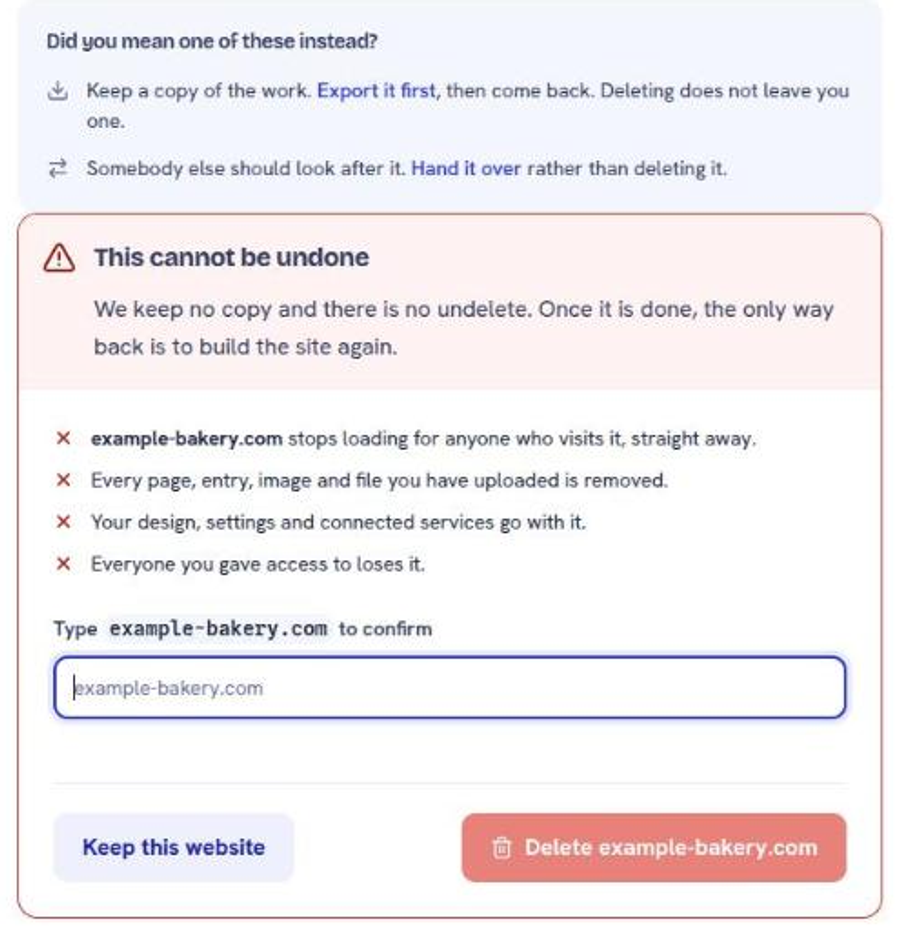
Export first. Always. An export takes a minute and is the difference between a decision and an accident.
The Console will offer you the same thing: the delete screen puts Export it first and Hand it over above the confirmation, and makes you type the domain before the button works.
Deleting a website is not the same as cancelling a plan or releasing a domain. If your intent is to stop paying, start at billing instead.
A short checklist for handing a site over
1
Export the data, so a copy exists outside the account.
2
Revoke every MCP token you created. The new owner cuts their own.
3
Add the new owner as a manager, and confirm they can sign in and edit.
4
Confirm who is paying for what after the handover.
5
Transfer ownership.
Step 4 is the one people skip, and it is the one that generates the awkward email a month later.
Still stuck?
Send us the site name and what you were trying to do. A person answers, usually within one business day.