How I Built a Local Events Website With Hermes and Free AI Design
Building calaverastoday.com: free AI design sketches from Replit, a Hermes agent connected to InboundSavvy over MCP, and a site that updates itself every morning.
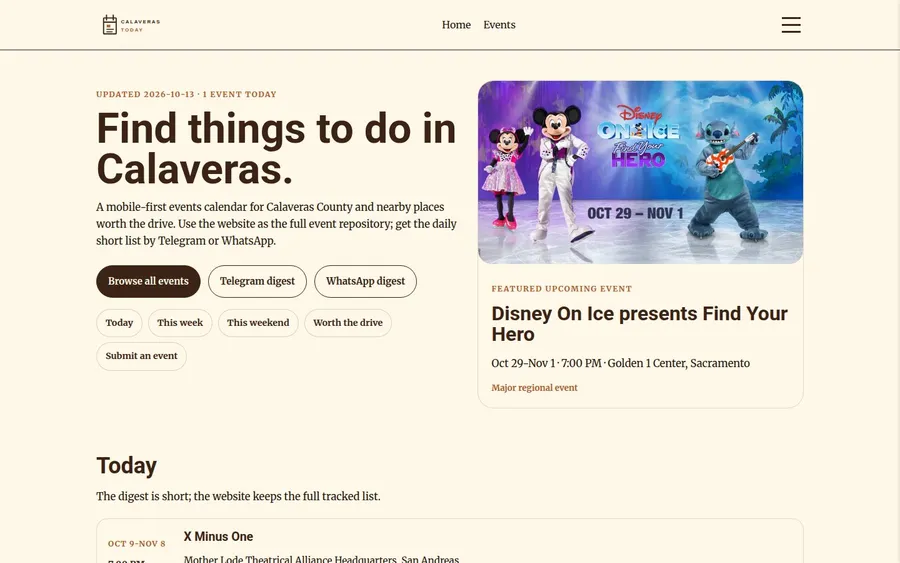
I built a local events website without a designer: free AI design from Replit for the look, and the Hermes agent for the build and the daily updates.
Calaveras Today is an events calendar for Calaveras County, California. Every morning it posts what is on today to Telegram, WhatsApp and the Web-site. The website keeps the full list, with a page for every event.
Hermes is an open-source AI agent from Nous Research. Mine lives on a small VPS server, stays on around the clock, and takes directions from me over Telegram.
Andre wrote about using Replit as a design sketchpad and then building the site by hand. I wrote about having Claude build from a designer's Figma layouts. This time Replit sketched, Hermes built, and Hermes still updates the site every morning.
Ingredients:
- An agent that stays on. I used Hermes, with ChatGPT Pro as the AI
- A free Replit account
- A $30 prepaid InboundSavvy site and its MCP connection
- Events worth listing
1. Start With the Events
The project started on August 28, 2026 as a Telegram message:
"New project. I want to create a service called Calaveras Today, which tells me, my family and any followers what cool things are happening..."
Six minutes later Hermes had a working prototype. Then I sent it photos: posters in shop windows, banners over the road, flyers on notice boards. Hermes read each one and logged the event. By that afternoon it was tracking 50 dated events from 28 sources.
Two days later the first daily digest went out on Telegram. WhatsApp followed the same evening.
Build the website last: by then you know what it has to show.
2. Connect the Agent to the Site
Every InboundSavvy site has its own MCP connection, set up under Manage - MCP Tokens. With the token for calaverastoday.com, Hermes could read the content schema, write pages, upload images and start a build.
The first draft had the right events on it and no design. That is to be expected: an agent with a list of events and a CMS produces a list of events in a CMS.
Connecting the agent gets you a correct site. A good-looking one takes a design.
3. Let Replit Design Freely
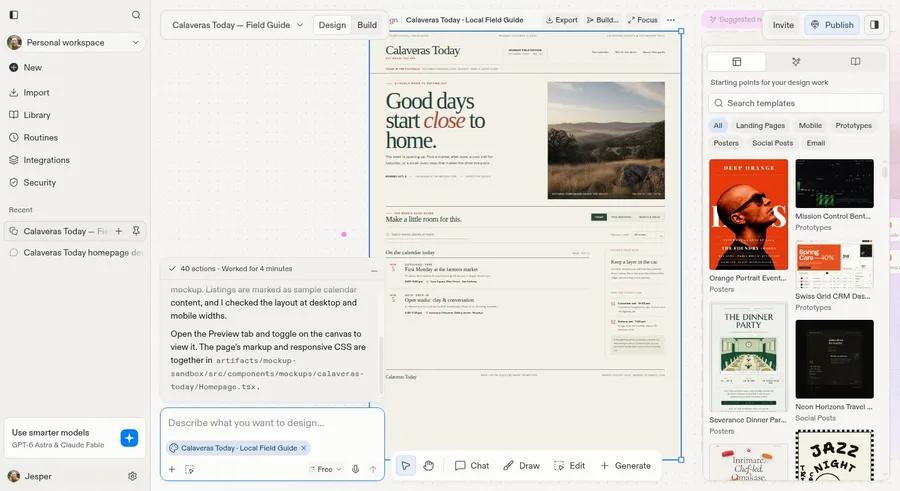
Hermes did not sign in to Replit for me. I signed in myself, in a browser on Hermes's server, and Hermes worked in that window.
The first prompt told Replit which colors to use, and that the result had to be translated into InboundSavvy afterwards. That was a mistake, and I said so:
"Replit does not know what that means, and it will limit what Replit designs. And by forcing the colors you lock yourself out of seeing what an unrestricted Replit could come up with."
The second prompt only described the site and the people it is for. Replit came back with a local broadsheet it called Field Guide: pine green, rust accents and the headline "Good days start close to home."
Tell the design tool what the site is for. Leave out how you plan to build it.
4. Question the First Design
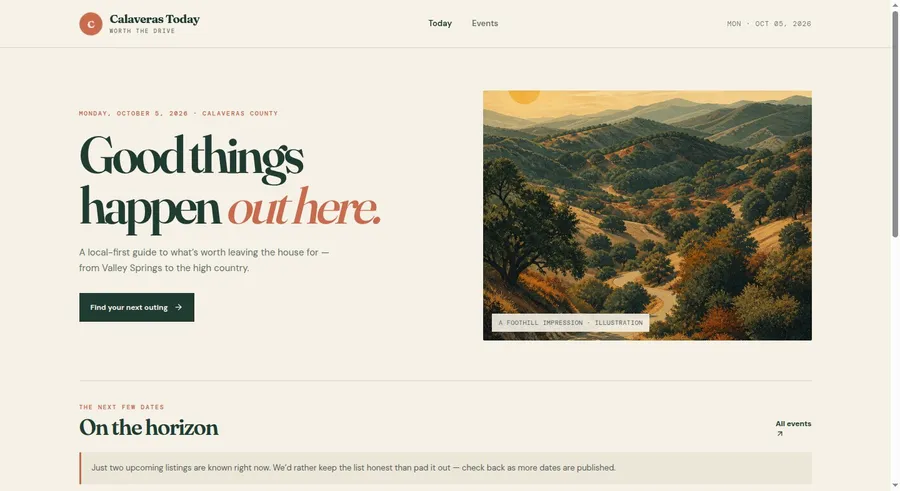
The broadsheet looked good, and it was wrong for this site. Calaveras Today sounds like a newspaper. It is an events calendar, and the site should say so at first glance.
I wrote Replit a new prompt myself:
"calaverastoday.com is an events calendar showing all the cool things to do in Calaveras and surrounding areas. Its primary audience is people who live in or visit Calaveras. I need a modern design for a responsive website which will work equally well for cellphones and desktop."
Replit answered with a warmer page and the headline "Good things happen out here."
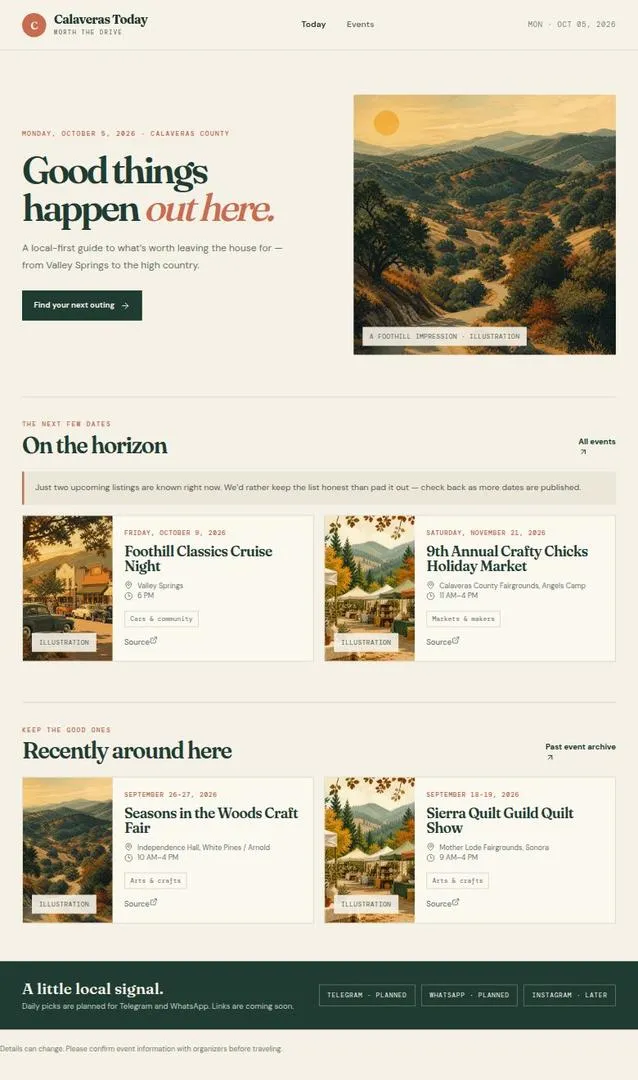
Hermes opened the preview at desktop width and at phone width, and took a screenshot of each. In the narrow one the page kept its desktop layout, only smaller. That matters: the daily digest arrives on a phone, so the site gets opened on a phone.
Hermes's conclusion: "Use it as a visual direction, not as the information architecture."
Check the design at phone width before you build anything.
5. Build It Mobile First
After three rounds with Replit I stopped sketching. Hermes wrote the design itself, straight into InboundSavvy over MCP. It kept what worked in the sketches: the cream page, the warm accent color, and the plain local tone. The newspaper layout stayed behind.
Fourteen minutes later the new design was on beta. The home page opens with today's events and one featured event, with the Telegram and WhatsApp digest buttons right under the headline.
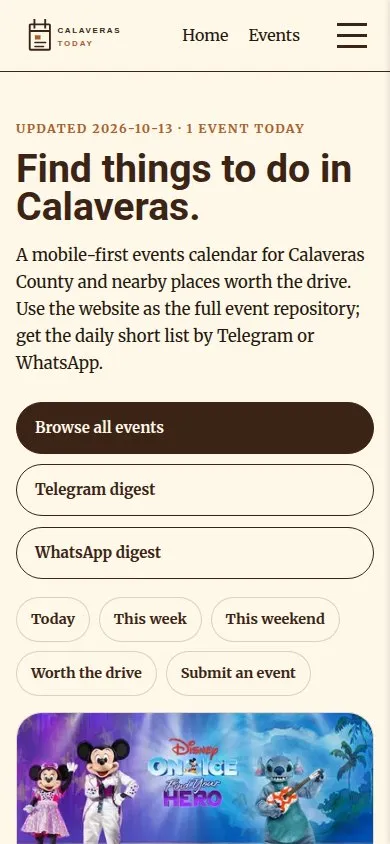
The sketch gives you the mood. The layout comes from what a visitor does first.
6. Say What You See
From here on I looked at the beta site and said what was wrong, in plain words:
- "For each event you write something like T2 - digest." That was the internal rating of how big an event is. Visitors now read "Local highlight", "Worth the drive" or "Major regional event".
- "Event Ticket looks like a first aid kit." Hermes had drawn its own logo ideas. Replit got the logo job instead and came back with twelve.
- "We cannot download these images every time." Event images are now stored once and reused.
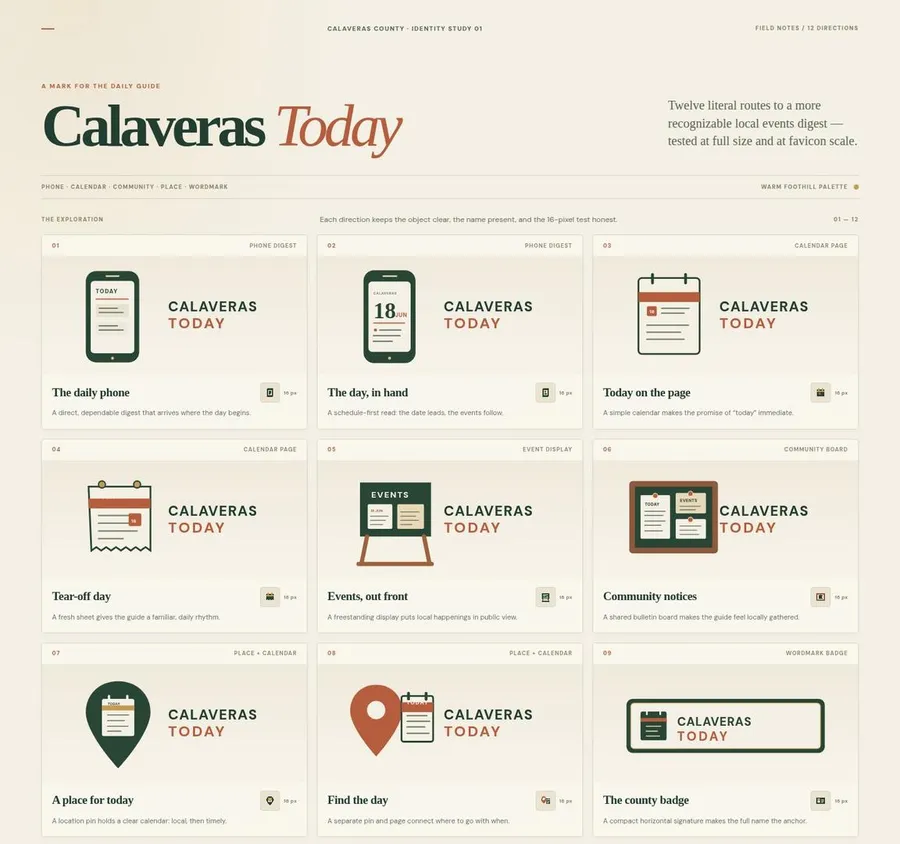
The logo on the site is the third of the twelve, a calendar page that Replit named "Today on the page". The site uses it as designed. I edited the favicon version by hand.
You do not need design vocabulary. Say what it looks like to you.
7. Let the Agent Publish
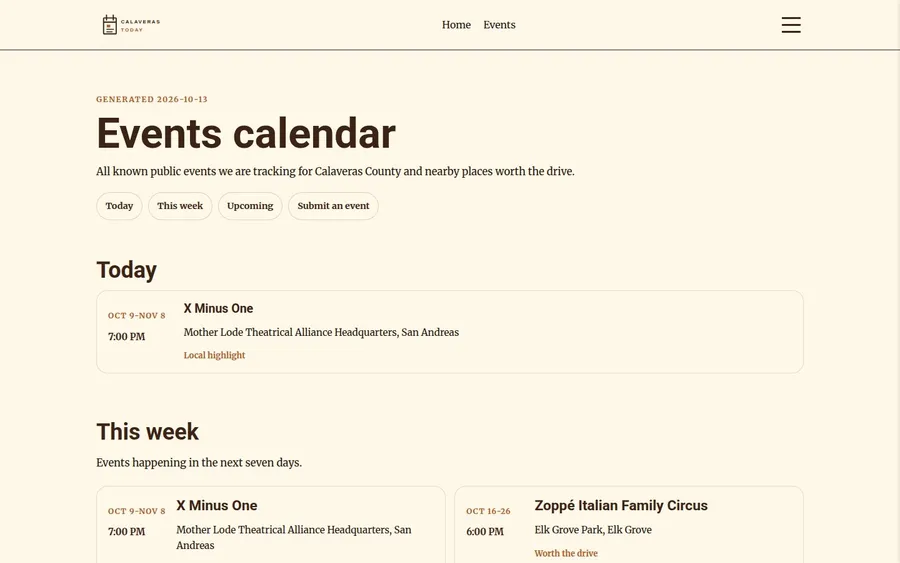
On October 12 I wrote: "publish to production and make the cron job that publishes this web-page every morning with the updated schedule." Two minutes later the new design was live on calaverastoday.com.
Since then nobody opens the Console in the morning:
- 4:45 AM. Hermes renders the pages from its event data, writes them to InboundSavvy and builds the site.
- 7:30 AM. A script posts today's events to Telegram and WhatsApp. That step is plain code with no AI in it, so the post says what the data says.
- Once a week. Seven watch jobs check the sources: venue calendars, fairgrounds, ski resorts, and the big arenas within a two-hour drive.
When I pass a flyer on a notice board, I photograph it and send it to Hermes. The event is in the calendar a few minutes later.
If it happens every day, make it a script. Keep the agent for the judgment calls.
Replit sketched it. Hermes built it and runs it. I said what was wrong.Jesper Jurcenoks
8. Cost and Web Traffic
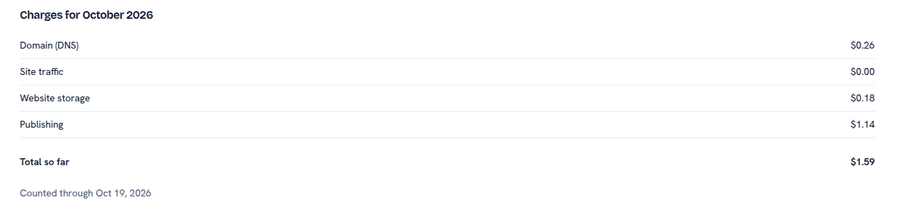
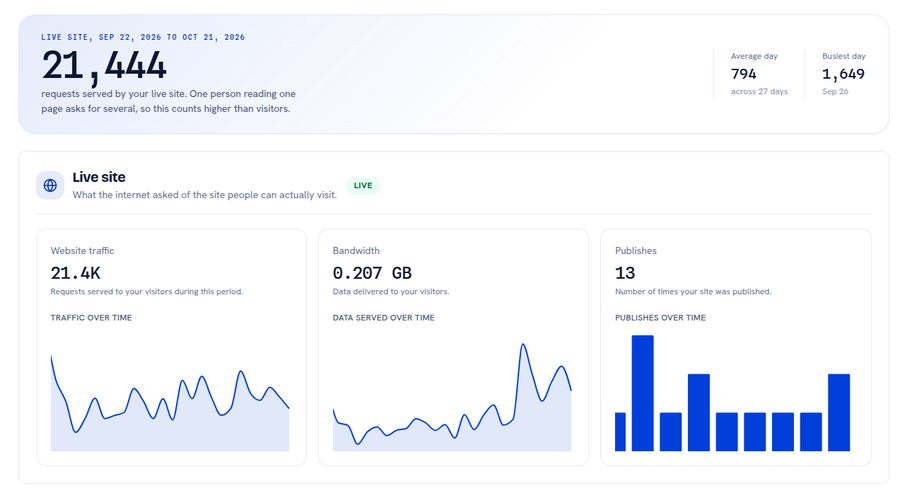
InboundSavvy charged $1.59 for October, counted through the 19th. That covers hosting and publishing only: Hermes, its VPS server and ChatGPT Pro are separate. The live site served 21,444 requests in its first month. One visitor reading one page makes several requests, so that is not a visitor count.
You do not need to be a designer or a developer to do this. You need events worth listing, a few rounds of free AI sketches, and the habit of looking at the result on your phone.
See the result at calaverastoday.com.
By Jesper Jurcenoks
More from the blog
443 New Websites Missed Google
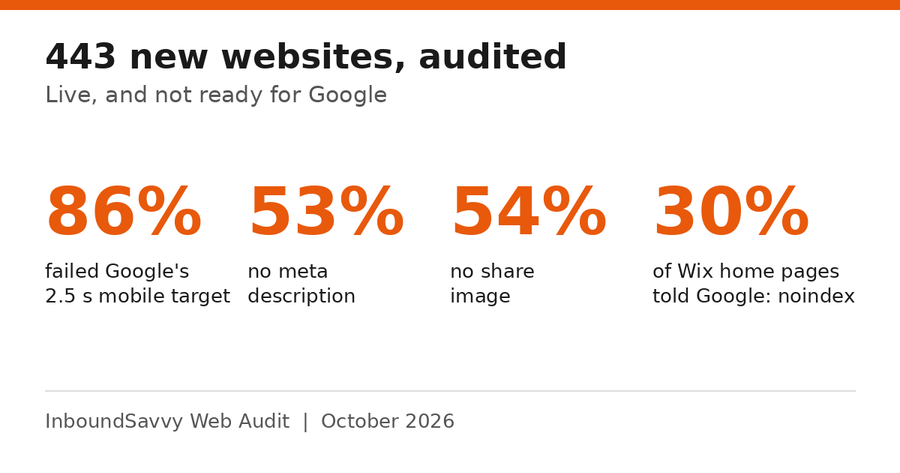
We audited 443 new websites with InboundSavvy Web Audit. 86% failed Google's 2.5 s mobile target, and more than half had no meta description or share image.
2026-10-27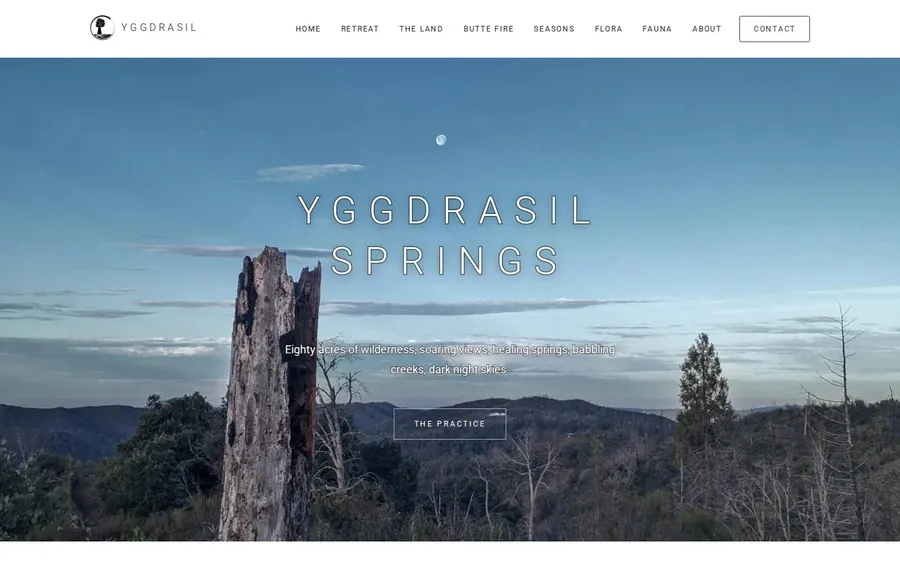
How We Built a Retreat Website From a Figma Design With Claude
A step-by-step guide to building yggdrasilsprings.church: a designer's Figma layouts, Claude connected to InboundSavvy over MCP, and plain directions from the owner.
2026-09-28
Selling websites like it's 1995
Bill locally, support locally, buy the servers wholesale. The business I ran in Denmark in 1995, and the partner program we are building on it.
2026-09-27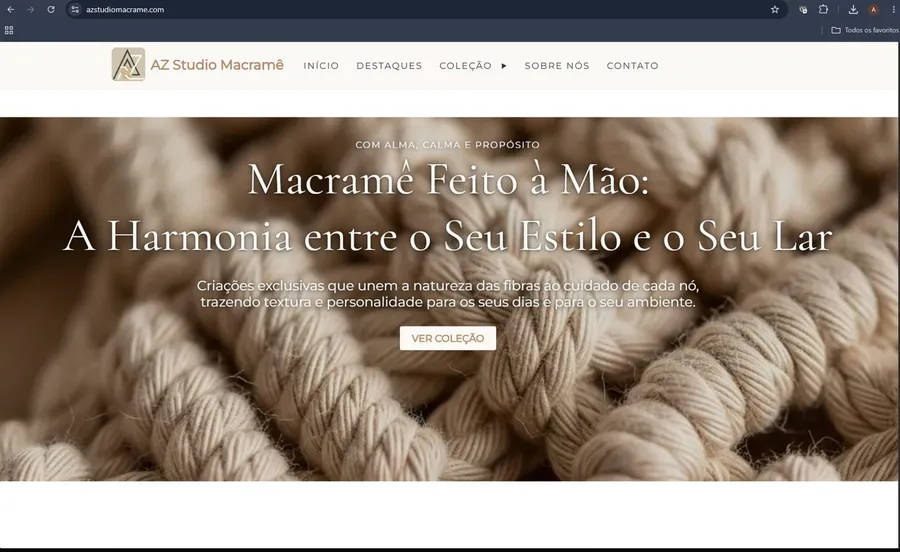
InboundSavvy + AI: How I Built a Real Business Website Without Being a Designer
A step-by-step case study of building azstudiomacrame.com — from AI-generated design brief to live InboundSavvy website. No design degree required.
2026-05-21
Democratizing Online Presence
Making an optimized, converting internet presence available to everyone - even the poorest entrepreneur.
2026-05-20